

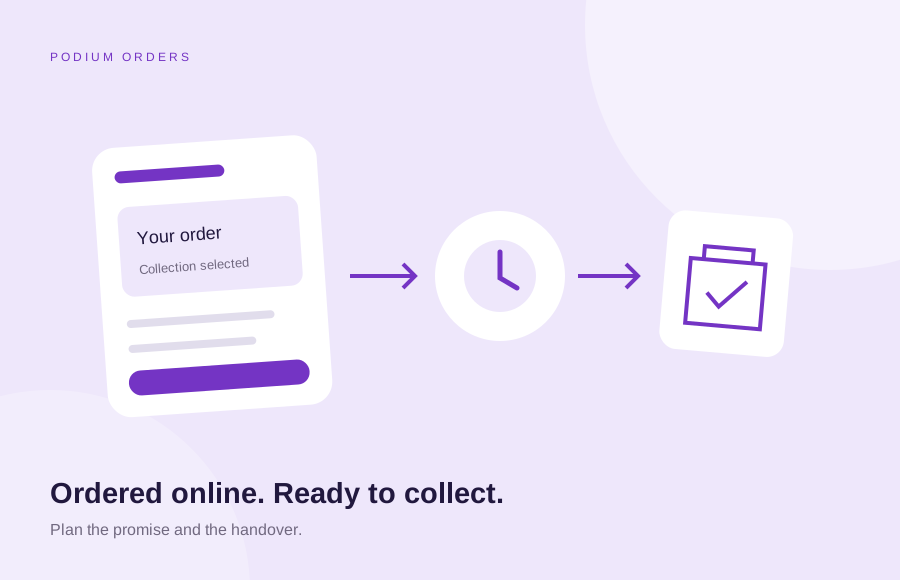
The short answer
Click and collect lets a customer order online and collect from an agreed location. A small business needs more than a collection option at checkout: it needs accurate availability, a clear collection promise and a reliable way for staff to identify and hand over the order. Plan those rules before choosing software.
What to take from this guide
- An order confirmation and a ready-to-collect message mean different things.
- Base collection promises on stock, preparation and staff capacity.
- Test the handover and exceptions as carefully as the online payment.
1. Decide what the customer is being promised
A shop selling an item already on the shelf and a café preparing food to order have different collection requirements. Write down where collection happens, when orders can be placed and how the customer learns that an order is ready. Do not use “collect today” unless the team can explain the conditions behind it.
For a Belfast or Northern Ireland business with more than one location, make the branch unmistakable before payment and in the confirmation. Include the collection address and practical instructions. Podium’s online ordering service brings these customer and staff requirements into the same brief.
2. Make availability and capacity part of the plan
Decide which products are eligible, how stock is updated and what happens if the last item sells in person while an online order is being placed. If preparation is involved, agree lead times, cut-off times and the number of orders the team can handle. A date picker alone does not establish that capacity.
Some platforms need additional configuration or extensions for slots, preparation rules or stock by location. Check the required behaviour against the proposed setup before paying for tools. For food businesses, the restaurant online ordering checklist also covers the operational questions around running the service.
3. Choose the checkout approach your site actually uses
On WooCommerce, the block-based Local Pickup option and the older shipping-zone pickup method are different setups. Confirm which checkout your store uses before following instructions or installing an extension. The block option requires an enabled pickup configuration and at least one location; the older method is configured through shipping zones.
Do not assume a standard pickup method includes time slots, collection capacity or an automatic ready notification. List these separately and test the proposed combination. Our WooCommerce development page explains how we scope improvements around the store you have, while Shopify development is a separate platform route.
4. Separate payment, acceptance and readiness
A customer needs to know whether the order has simply been received or is ready to collect. Decide which messages are sent automatically and which depend on a staff action. Show a realistic expectation immediately after checkout and provide a contact route for changes. Avoid sending a ready message before the team has checked the items.
The following is an illustrative handover plan, not a promise about any particular platform. Agree the actual message triggers during setup and give the team a way to find an order when a customer cannot show the email.
| Stage | Customer information | Team responsibility |
|---|---|---|
| Order placed | Order reference, chosen location and collection expectation | Check payment status and availability |
| Order being prepared | Any revised timing that affects collection | Pick or prepare the agreed items |
| Ready to collect | Clear readiness message and collection instructions | Mark the order ready only after checking it |
| Order collected | Any agreed receipt or completion message | Record handover without completing the order twice |
5. Rehearse the situations that interrupt a normal order
Test an unavailable item, a late customer, a wrong branch and a request to change the order. Agree who can approve a substitution or refund and what staff should record. Keep those decisions consistent with the published terms and the business’s professional advice; software settings do not decide your policies.
A short staff checklist should explain how to find an order, check its status and record collection. Limit account access to the people who need it. If an order has already been handed over, the record needs to make that visible so a second member of staff does not repeat the handover.
6. Test a complete order before promoting the service
Place a controlled test order using the payment provider’s supported test process, then walk through every message and the physical collection. Test on a phone, check an address from outside the local area and confirm that each available method behaves as intended. Restore any temporary test settings before launch.
If payment or delivery choices fail, start with our WooCommerce checkout troubleshooting guide. Before commissioning the build, put collection rules into an ecommerce website brief. That gives the supplier something specific to demonstrate, instead of relying on a feature called “pickup”.
Common questions
Can my existing website offer click and collect?
Often it can, but the answer depends on its platform, checkout, payment setup and stock arrangements. Review the required customer and staff journey before choosing a plugin, integration or separate ordering service.
Does WooCommerce local pickup include collection time slots?
Do not assume that it does. Standard pickup configuration and any required scheduling, preparation or capacity controls should be checked separately against the current store and extensions.
Should collection orders be paid online?
Choose around your business and payment arrangements. If you allow payment on collection, define how unpaid orders reserve stock, how long they are held and how staff record payment and handover.
What should a collection confirmation contain?
Include the order reference, selected location, collection expectation and contact route. Make it clear whether the order is ready or whether a separate readiness message will follow.
Sources and further reading
Primary references used in this guide. Platform details and requirements should be checked again when scoping a project.
Prepared by the Podium team. Illustrative examples are not client results.